


The tab "APC Overlay" contains the "Controls" settings on the right side.
These settings specify if the software should act based on BPM (beats per minute) or based on independently assignable speed via fader.
The speed fader does not work if the software is in BPM mode!!
Tab BPM can also be triggered through the MIDI controller APC 40 ("Tap"). The +/- feature can be triggered via "Nudge +/-"
The number of beats the frame changes to in BeatMode can be specified below.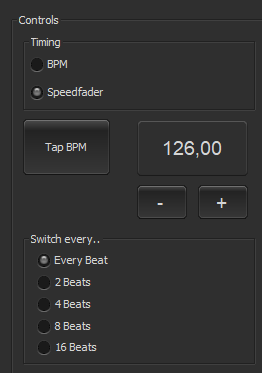

Select your language

